AI/ML
Claude Import Memory: Transfer ChatGPT Context in 2 Minutes

 Mar 5, 2026








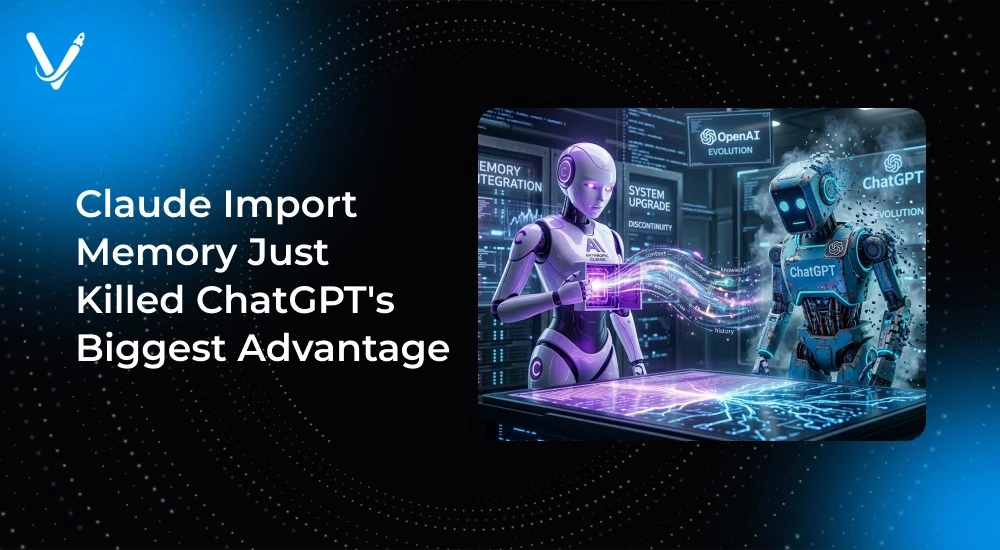
ChatGPT had a significant user lock-in feature until March 1, 2026. Until then, ChatGPT was considered the best chatbot option for many users, as they were unable to transfer their memories from other AI chat systems unless they wanted to lose all of their pre-existing memories, including coding preferences, client information, and project history.
On March 1, Anthropic company released the Claude memory import and export tool, which allows users to import and export their AI memories from other chat systems in just two minutes, completely eliminating the need for any export or API token setup, making claude import memory from chatgpt a seamless process for users switching platforms.
Users can utilize the memory import and export process through a simple copy-and-paste system, and all users with paid Claude subscriptions can utilize this service. Now, engineers can switch to other chatbots without having to blow away their memories.
When you use claude import memory, you're not just moving random data—you're transferring everything that makes your AI assistant actually useful:
Claude Import creates an import memory for use with ChatGPT, Google Gemini, Microsoft Copilot, Grok, and other AI chatbots that can save user preferences, so the beauty of Claude Import Memory is its ability to work with anything that remembers you.
What is not transferable is the conversation history; your chat logs will remain in your original chatbot account. Claude Import stores only the context and preferences associated with your AI and not the actual logs from those conversations.
The claude import memory process is designed to be foolproof. Here's exactly how it works:
Step 1: Visit claude.com/import-memory (the official claude import memory page)
Step 2: Copy the extraction prompt that Claude provides. It looks something like this:
"List every memory you have stored about me, as well as any context you have learned about me from past conversations. Include personal details, projects, tools I use, and behavioral preferences."
Step 3: Open your current AI (ChatGPT, Gemini, etc.) and paste the prompt
Step 4: Your AI will output all its stored memories about you in a text block
Step 5: Copy that entire output and return to the claude import memory page
Step 6: Paste the memory data into Claude's import field and click "Add to memory"
Total time: 2-3 minutes for complete claude import memory transfer.
To use claude import memory, you need:
Cyber Security News feature is encrypted and secure, your data isn't used for model training, and can be exported anytime. No vendor lock-in with Claude import memory.
Privacy note: All Claude import memory transfers are processed in real-time and not stored by Anthropic. You control what gets imported.
Claude import memory brings you your tech stack preference, architectural choices, and code quality to the surface. This eliminates the need to go through again why you prefer TypeScript over JavaScript and your various test frameworks.
Your project continuity will continue from your last context, your clients' requests, and technical limitations. Therefore, your AI will know your current sprint goals, technical debt priorities, and deployment limitations
After retrieving your Claude import memory, you will not have to teach your AI how you want your code to be reviewed, how you wish to document , and how you want your technical explanation structured.
Instead of having to spend weeks re-establishing your context, your Claude import memory allows you to be productive immediately. Your AI will resume at the last place you left off with no need for training.
Client Profiles—From Imported Memory: Transferring communication styles, project histories, and business contexts for every client. Because of this, Claude knows right away that Client A wants detailed technical information while Client B prefers high-level summaries.
Domain Knowledge—What Does This Mean? Specialized language, common problems, and solution methods have been completely transferred. If you work in FinTech, Healthcare, or eCommerce, all your domain expertise will be retained in Claude imported memory.
Your Personal Workflow—Your preferences regarding response formats, meeting styles, and preferred types of deliverables have all been retained in Claude's memory. He knows that you prefer to have morning check-ins, you like to see detailed timelines for projects, and you have specific preferences about how reports will be formatted.
Your Competitive Advantage—Preserving Context Continuity across AI Platforms while Maximizing Productivity. The use of Claude imported memory eliminates the switching penalty.
This changeover was harsh. All of the context accumulated over months was lost. You would spend weeks again explaining your technology stack, client preferences, and how you like to work. You would have to rebuild all project details, coding standards, and communication style.
Engineers often described switching AI assistants as having to train a new junior developer and you will have a loss of productivity for several weeks while the AI “re-learning” your preferences.
Claude memory import completely alters how you can switch from one platform to another. Your context is transferred in a matter of minutes, not months, with no loss of productivity - Claude will understand your personal and client workstyles and technical preferences from the outset.
By breaking the "$50B AI lock-in trap," Claude Import Memory has solved the problem of losing accumulated context that keeps users stuck in lesser AI applications.
You will have a complete transfer of all of your personal details and preferences related to recurring topics, so all of the things that made your AI assistant useful will remain intact after you switch to Claude Import Memory.
You will no longer have the fear of being locked into a platform. Claude Import Memory demonstrates that your AI context belongs to you, not to the platform you're using.
How claude import memory works technically: ResultSense The two-step process uses no API tokens or file uploads. It's a text-based transfer system designed for universal compatibility with any AI that can output stored memories.
Claude import memory security:
When Claude is manually importing memories to ResultSense, it can take as long as 24 hours for their integration into the ResultSense system. As memory updates occur every day when Claude synthesizes all the previous updates, memory imports from ResultSense will merge into existing Claude memories instead of overwriting them.
The future of memory import on Claude will likely include the ability to apply more filters when importing memories, and some sort of API for bulk enterprise imports. This is to ensure that all imports are done with user-controlled processes.
Claude’s memory function stripped away ChatGPT’s significant competitive advantage. Anthropic’s Claude practically created an exit door for power users of ChatGPT.
Users have been empowered to easily switch between AI platforms with nothing lost in the process. Claude’s memory feature demonstrates that there’s really no separation between providers in the LLM (Large Language Model) space — all accumulated context can be documented as text and imported in seconds.
All competitive AI developers will be under pressure to match Claude’s memory feature in order to keep users from switching platforms that allow for easy movement between providers.
As a result, companies can select an AI provider based on features and functionality, not cost of switching. By creating a commodity out of users' previously unique context, Claude has created competitive parity based upon functionality alone.
Very soon the Codex engineering team will complete a similar memory function as an "Import AI Chats" capability and it will be standard for the industry, as Google is already testing a similar function on its Gemini architecture.
Ready to try claude import memory? The process takes just 2-3 minutes and supports features like laude memory transfer for moving your AI context efficiently:
Requirements: Paid Claude plan and an existing AI assistant with stored memories about you.
Business applications: If you're building AI-powered applications, consider how memory portability affects user retention. Partner with AI development experts who understand the importance of user data ownership and can implement similar memory management features in custom AI solutions.
Claude import memory isn't just a feature—it's a statement about user data ownership in the AI era. Your context, your choice, your freedom to switch. The days of AI vendor lock-in are officially over.
Ready to make the switch? Your ChatGPT memories are just two minutes away from their new home in Claude.
Copyright © 2026 Vasundhara Infotech LLP. All Rights Reserved.