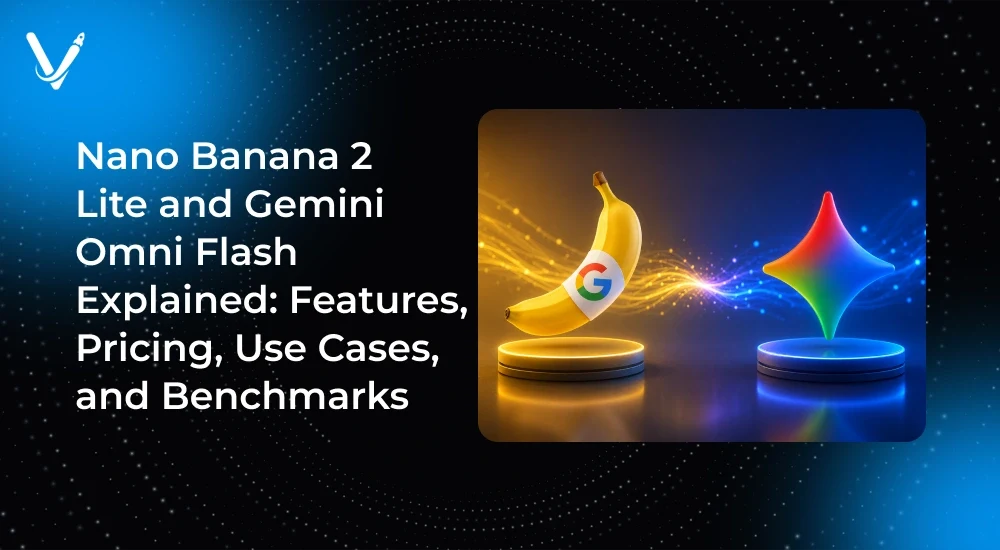
Google’s AI media tools are moving fast, and two names keep coming up: Nano Banana 2 Lite and Gemini Omni Flash. Both point to the same trend: image and video generation that is fast, cheap, and built for scale.
The first "Nano Banana," Google’s Gemini 2.5 Flash Image model, launched in August 2025 and went viral. It gave developers high-quality image generation and natural-language editing at low cost. A lighter, faster follow-up, and a matching video model, is the natural next step for Google’s stack.
Developers are watching closely for one reason: cost per output. When image and video generation get cheap enough, whole new products become possible. This guide explains what these models are, how they fit Google’s ecosystem, how to judge them, and where they help most.
What is Nano Banana 2 Lite?
Nano Banana 2 Lite is a reported fast, cost-efficient version of Google’s Nano Banana image model, built for image generation and editing at scale. It is positioned as the lighter tier in the Nano Banana line.
To understand it, start with the original. "Nano Banana" is the nickname for Google’s Gemini 2.5 Flash Image model, released in August 2025. It became one of the most talked-about AI tools of the year for two reasons: strong image quality and simple, natural-language editing. You can ask it to change a background, keep a character consistent, or blend photos, all in plain words.
A "Lite" tier follows Google’s naming pattern. Google already ships "Flash" and "Flash-Lite" tiers for its text models. These trade a little quality for much lower cost and higher speed. A Nano Banana 2 Lite would likely do the same for images.
What that means in practice:
• Fast image generation, tuned for speed over maximum detail
• Low cost per image, made for high-volume jobs
• Natural-language image editing, like the original Nano Banana
• API access for developers, through Google’s platforms
• Enterprise fit for teams that generate images at scale
For enterprise teams, the appeal is simple. If each image costs a fraction of a cent and takes a second to make, you can automate whole content pipelines. That is the real promise behind the Lite tier.
What is Gemini Omni Flash?
Gemini Omni Flash is a reported fast, multimodal Google model aimed at video creation, conversational editing, and mixed inputs like text, images, and audio. Think of it as the video and multimodal side of the fast "Flash" family.
Here is the honest picture. Google’s confirmed flagship video model is Veo, which turns text and images into video, and Veo 3 added native audio. Google’s Gemini "Flash" models handle fast, multimodal tasks. "Gemini Omni Flash" appears to describe a model that blends these strengths: quick video generation with conversational, back-and-forth editing.
What such a model would offer:
• Text-to-video and image-to-video generation
• Conversational editing, where you refine a clip by chatting
• Multimodal inputs: text, images, and audio together
• Audio generation to match the video
• Enterprise integration through Google’s cloud tools
For businesses, the draw is speed and scale in video, the hardest and priciest content to make. If a fast Flash-tier model can draft usable clips in seconds, teams can test more ideas for less money.
Google’s real AI image and video stack
Google’s confirmed AI media stack already spans image and video, and the reported models above fit neatly into it. Knowing the real pieces helps you judge the new ones.
| Tool | What it does | Status |
| Nano Banana (Gemini 2.5 Flash Image) | Fast image generation and editing | Confirmed, launched Aug 2025 |
| Nano Banana Pro | Higher-end image generation | Confirmed later release |
| Imagen | Google's image generation family | Confirmed |
| Veo | Text and image to video, with audio | Confirmed |
| Nano Banana 2 Lite | Lighter, cheaper image tier | Reported, confirm with Google |
| Gemini Omni Flash | Fast multimodal video model | Reported, confirm with Google |
The pattern is clear. Google is building a full range, from cheap and fast to high-end, across both image and video. The Lite and Flash tiers exist to win the high-volume, cost-sensitive market, where most business content lives.
How to evaluate a fast image model
Judge a fast image model on six things: speed, cost, quality, editing control, scalability, and enterprise support. Use this checklist for any image model, including Nano Banana 2 Lite.
Here is the Markdown table converted from the image:
| Factor | What to check |
| Speed | How fast is one image? Fast models suit real-time and high-volume work. |
| Cost | What is the price per image at your real volume? |
| Quality | Is the output sharp, on-brand, and consistent across images? |
| Editing control | Can you edit with plain language and keep characters consistent? |
| Scalability | Can it handle large batches without slowing or failing? |
| Enterprise support | Is there API access, uptime, data control, and support? |
A Lite model usually wins on speed and cost, and gives up a little on top-end quality. That trade is fine for most marketing and ecommerce work, where volume matters more than gallery-grade art.
How to evaluate an AI video model
For video, check five things: video quality, editing flow, multimodal inputs, audio, and enterprise integration. Video is harder than images, so these matter more.
| Factor | What to check |
| Video quality | Is motion smooth and realistic? Do objects stay consistent? |
| Editing flow | Can you refine a clip by chatting, or must you start over? |
| Multimodal inputs | Can it take text, images, and audio as inputs? |
| Audio | Does it generate sound and voice that match the video? |
| Enterprise integration | Does it fit your cloud, security, and workflow tools? |
Conversational editing is the feature to watch. If you can shape a video through a chat, non-experts can make usable clips, which is a big deal for scale.
Image models compared: Nano Banana vs Midjourney vs Flux
These three image tools sit in different lanes. Nano Banana leans fast and editable, Midjourney leans artistic, and Flux leans open and flexible. The table shows how they are positioned, not fixed scores.
Here is the Markdown table converted from the image:
| Factor | Nano Banana | Midjourney | Flux |
| Known for | Speed and easy editing | Artistic, stylized images | Open, flexible models |
| Editing | Natural-language edits | Limited in-tool edits | Depends on setup |
| Access | Gemini app and APIs | App and Discord | Open weights and APIs |
| Best for | Product and scale work | Creative and brand art | Custom, self-hosted builds |
| Control | High, prompt-driven | Style-driven | Very high, developer-led |
Pick based on your goal. For high-volume, on-brand product images, a fast Google model fits well. For stylized art, Midjourney is strong. For full control and self-hosting, Flux is worth a look. Run your own test on your real images before you commit.
AI video compared: Veo vs Sora vs Gemini
Google’s Veo, OpenAI’s Sora, and a fast Gemini video model each target different needs, from high-end clips to quick, cheap drafts.
| Factor | Veo | Sora | Gemini (Flash tier) |
| Maker | Google | OpenAI | Google |
| Known for | High-quality video with audio | Creative, cinematic clips | Speed and low cost |
| Best for | Polished, brand-safe video | Creative storytelling | High-volume drafts |
| Access | Vertex AI and Google tools | OpenAI products | Gemini app and APIs |
| Trade-off | Cost for quality | Access and cost | Quality for speed |
The rule of thumb: use a fast, cheap model to draft and test many ideas, then use a high-end model for the final, hero pieces. Many teams will mix both.
Google prices AI media by output: you pay per image, and per second or clip of video, usually through Google AI Studio or Vertex AI. The exact rates for the reported models are not confirmed here, so treat the table as a framework.
You can check live rates and try the models on Google AI Studio for quick tests, or Google Cloud Vertex AI for production and enterprise deals.
| Item | How it is usually priced | Figure |
| Image generation | Flat rate per generated image | To confirm with Google |
| Image editing | Per edit or per image | To confirm with Google |
| Video generation | Per second or per clip | To confirm with Google |
| Audio | Bundled or per second | To confirm with Google |
| Enterprise | Volume deals via Vertex AI | Contact Google sales |
A simple ROI framework
To judge value, do not look at the sticker price alone. Compare the cost per output against what it replaces.
11. Estimate your monthly volume of images or videos.
12. Multiply by the price per output to get your AI cost.
13. Compare that to your current cost, such as stock, agencies, or shoots.
14. Add the value of speed, since faster output means faster launches.
For most high-volume teams, a cheap Lite-tier model pays for itself fast. But always run the math on your real numbers.
Top 12 use cases
Fast, cheap image and video models unlock a wide range of business use cases, from marketing to full content automation. Here are twelve, each with the problem, the solution, and the impact.
1. Marketing creatives
Problem: Making enough on-brand creative is slow and costly.
Solution: Generate and edit variations fast with AI.
Impact: More tests, lower cost, faster campaigns.
2. Social media content
Problem: Daily posts drain time and budget.
Solution: Auto-generate images and short clips at scale.
Impact: A full content calendar with a small team.
3. Product photography
Problem: Studio shoots are slow and expensive.
Solution: Create product images and scenes with AI.
Impact: Lower cost and faster catalog updates.
4. Ecommerce visuals
Problem: Large catalogs need endless images.
Solution: Batch-generate and edit product visuals.
Impact: Consistent visuals across thousands of items.
5. Ad campaigns
Problem: A/B testing needs many ad variants.
Solution: Spin up many ad creatives in minutes.
Impact: Better testing and higher ad performance.
6. Explainer videos
Problem: Video production is slow and costly.
Solution: Draft explainer clips with a video model.
Impact: More explainers for less money.
7. Product videos
Problem: Every product needs its own video.
Solution: Generate product videos at scale.
Impact: Richer product pages and higher conversion.
8. Training content
Problem: Internal training video is expensive.
Solution: Create training clips with AI quickly.
Impact: Faster, cheaper staff training.
9. AI storytelling
Problem: Story content needs art and motion.
Solution: Generate scenes, characters, and clips.
Impact: New formats for creators and brands.
10. SaaS applications
Problem: Apps want built-in media features.
Solution: Add image or video generation via API.
Impact: A stronger, stickier product.
11. Enterprise content production
Problem: Big teams need media at huge scale.
Solution: Automate media pipelines with fast models.
Impact: Major cost and time savings.
12. Creative automation
Problem: Manual creative work does not scale.
Solution: Build automated, AI-driven creative flows.
Impact: Output that grows without more headcount.
Why developers are excited
Developers are excited because fast, cheap, API-first media models let them build products that were too costly before.
• Faster generation makes real-time features possible
• Lower costs open up high-volume workloads
• API access means easy integration into apps
• Multimodal inputs support richer features
• Enterprise deployment through Google’s cloud is straightforward
The shift is from "AI media is a demo" to "AI media is a backend service." Once cost per output drops far enough, teams put generation inside their own apps and pipelines.
Strengths and limitations
Fast Lite and Flash models trade some quality for big gains in speed and cost. Here is the honest balance.
| Strengths | Limitations |
| Very fast output | Lower top-end quality than premium tiers |
| Low cost per output | May struggle with complex or fine detail |
| Easy natural-language editing | Still needs human review for brand and truth |
| API-first, easy to integrate | Specs and pricing here are unconfirmed |
| Great for high-volume work | Not ideal for hero, gallery-grade pieces |
The takeaway is simple. These models are built for scale, not for the single perfect image. Use them where volume and speed matter most, and keep a human in the loop for quality and compliance.
The future of AI image and video generation
The future is fast, cheap, multimodal media that plugs into automated, agentic workflows. A few trends stand out.
• Multimodal AI. Text, image, audio, and video will blend into one flow.
• AI content creation. More content will be drafted by AI and finished by people.
• Enterprise adoption. Big teams will build media into their core pipelines.
• Marketing automation. Campaigns will generate and test creative on their own.
• Creator economy. Solo creators will make studio-scale output.
• Agentic workflows. AI agents will plan, generate, and publish media end to end.
The winners will not be the teams with the flashiest model. They will be the teams that wire cheap, fast generation into smart, human-checked workflows.
Fast image and video models fit almost every team, but the best fit depends on your role and scale.
Nano Banana 2 Lite is best for
• Startups: cheap, fast visuals without a design team.
• Enterprises: large-scale, on-brand image pipelines.
• Agencies: many creative variants for many clients.
• Creators: quick images and edits for daily content.
• Developers: image features inside apps via API.
Gemini Omni Flash is best for
• Startups: low-cost video to test ideas fast.
• Enterprises: training and product video at scale.
• Agencies: quick video drafts for client pitches.
• Creators: short clips and social video, made fast.
• Developers: video features built into products.
Conclusion
Fast, cheap AI media is the real story here. Whether they ship exactly as Nano Banana 2 Lite and Gemini Omni Flash or under other names, Google is clearly building image and video models tuned for scale and low cost.
Why this matters:
• For business: cheaper content and faster campaigns
• For developers: media generation as a backend service
• For the future: automated, agentic content workflows
The teams that win will pair cheap, fast generation with smart, human-checked workflows. Start small, test on real work, measure the ROI, and scale what works.
One last reminder: verify all specs, pricing, and benchmarks against Google’s official pages before you publish or budget. When Google confirms the details, we can update this guide with exact figures.
Want to build AI image or video features into your product? At Vasundhara Infotech, we help teams build custom generative AI solutions and enterprise-grade AI products. Explore our AI development services to get started.





 Jul 2, 2026